Viewing experiment details
To view the details of the experiment you created, follow the steps below:
-
Click on Manage on the left hand-side.
-
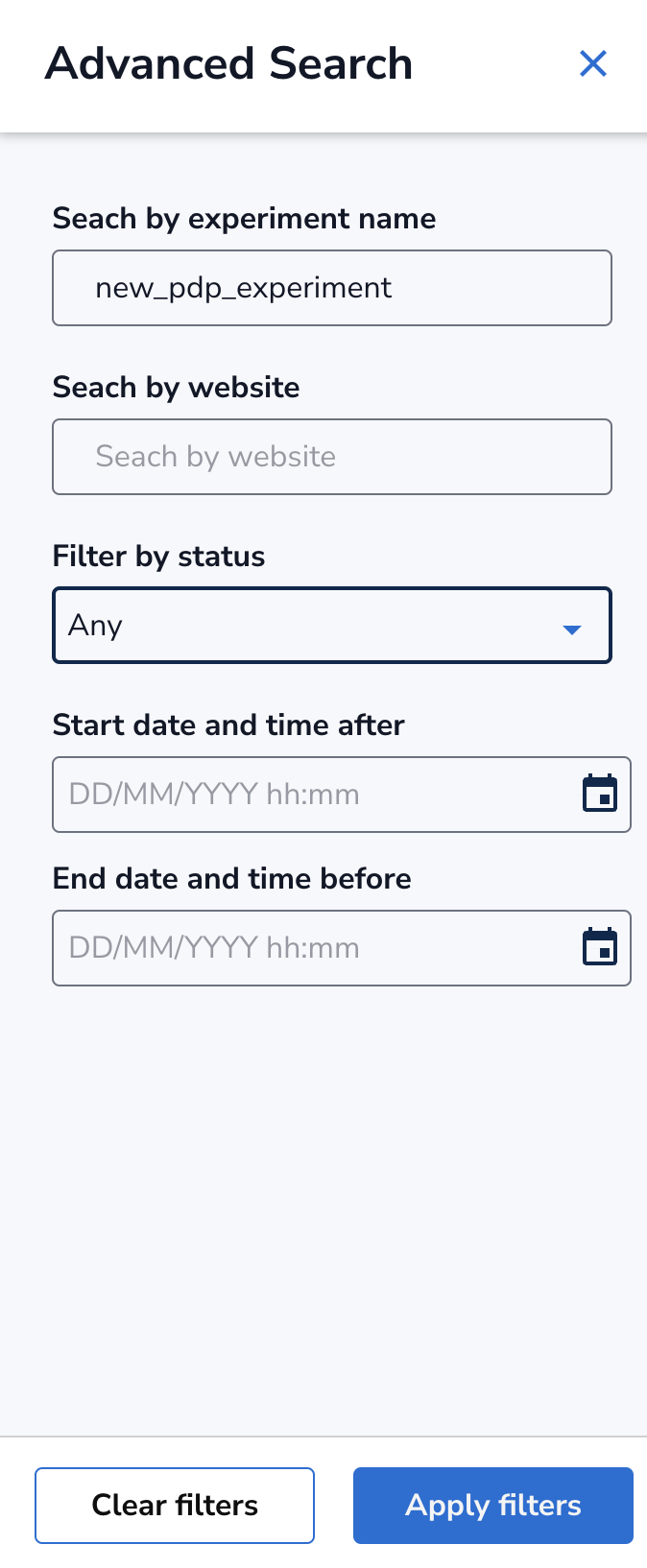
Click on Advanced Search.
-
In the Search by experiment name, write full or partial name of the test you are looking for.
-
If you want to be a little more specific, you can use additional filters. You can filter by Website, Status, or Start/End Time, but most of the time, entering the experiment name is sufficient.
-
Click on Apply filters button and close the Advanced Search (X). You will land on Active Experiments that match the name.
-
Click on the name of the experiment to land on Experiment Details page.
-
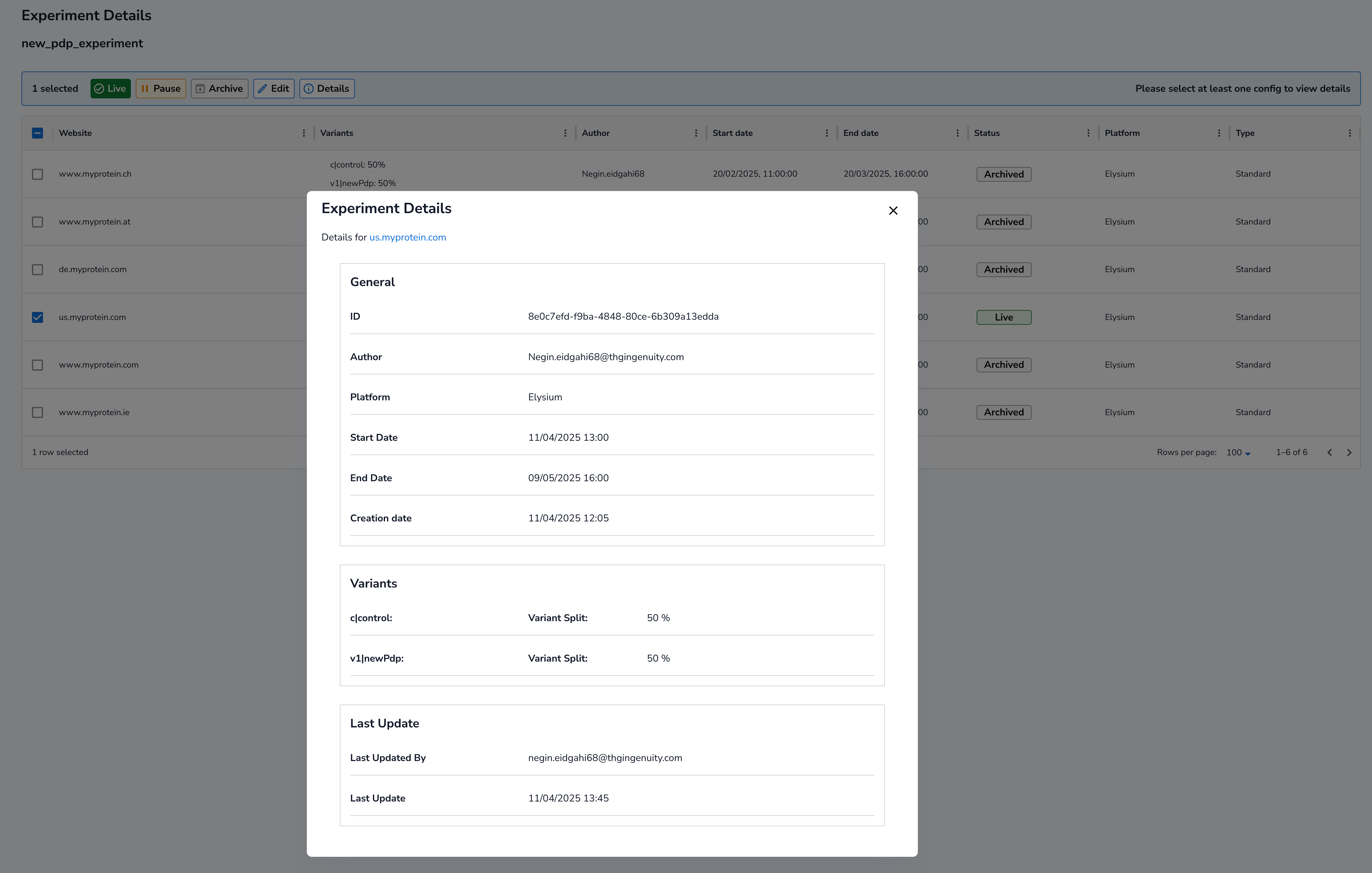
Click on the checkbox next to the Website name and press Details.
-
You are now able to see General info such as author and dates as well as variants in Experiment Details pop-up.
-
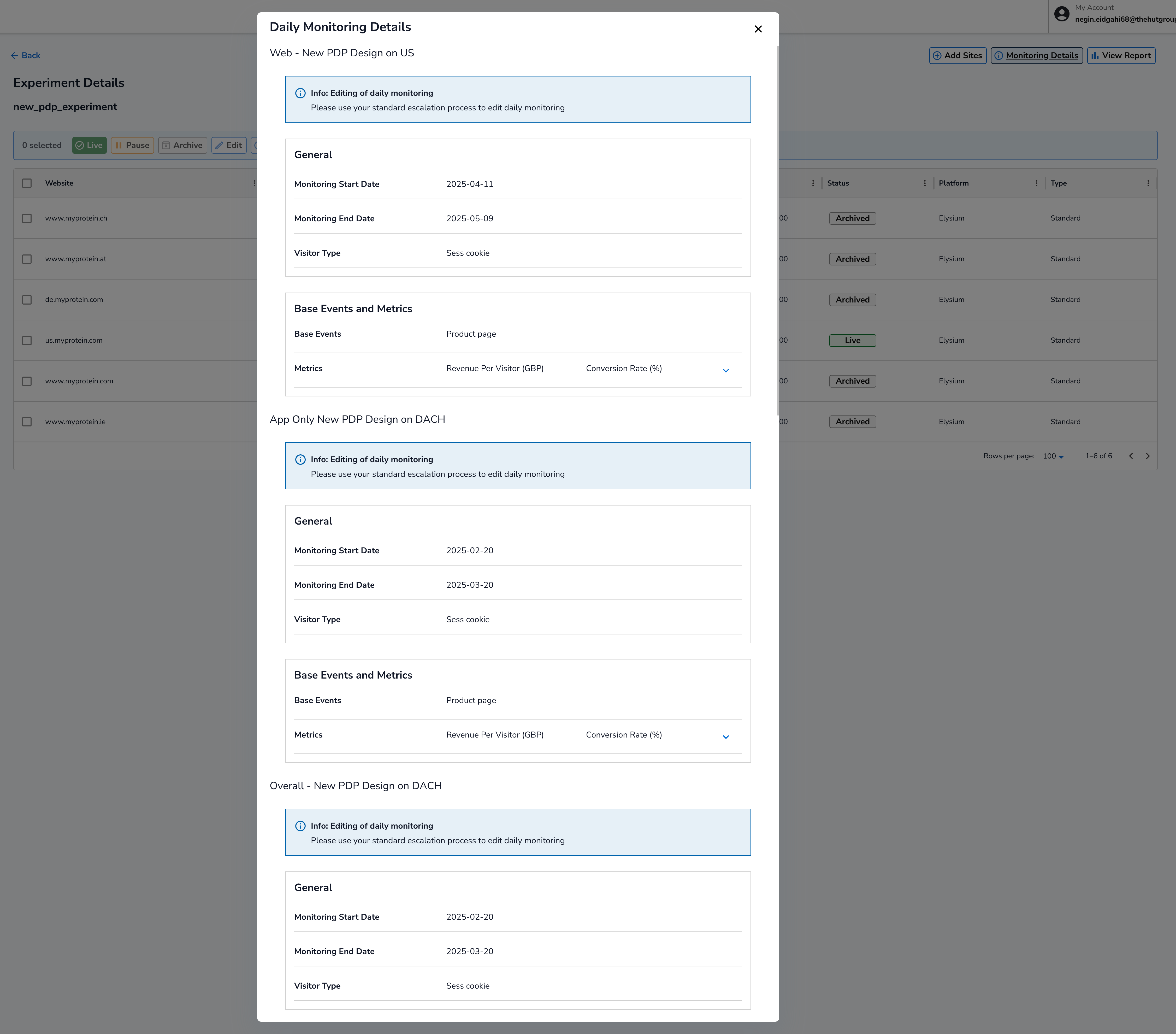
To view base events and a list of metrics, click Monitoring Details instead of Details. Please note base event is where the change happens.